Open Source v1.0.0 MIT License

Pomodoro timer
that never
loses focus.

Pomodoory is a beautiful, distraction-free timer that keeps ticking in the background and notifies you the moment time is up. No account. No cloud. Just hit Start and work.

Windows Soon macOS Soon Linux Soon Android Soon iOS Soon
Pomodoory screenshot

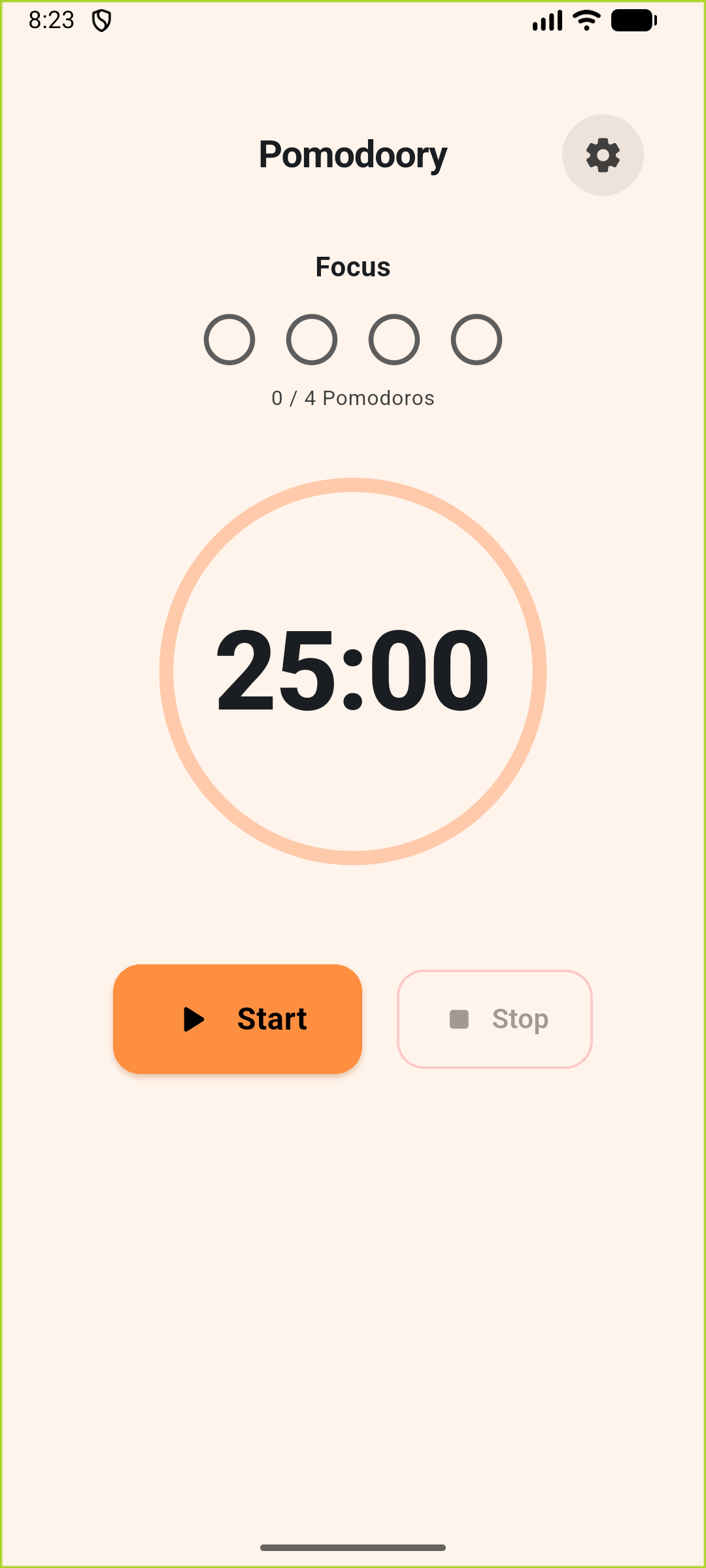
Focus timer — light mode

MIT License
Free Forever
0 Ads & Trackers
25 min Default Focus
4 Sessions / Cycle
100% Offline

Timer that works
for you.

Pomodoory stays completely out of your way. No account, no cloud, no distractions — just deep work sessions and timely breaks.

Always Notified
A scheduled notification fires at session end even if the app is killed. On Android, a live progress notification shows the remaining countdown in your notification shade the whole time.
Truly Background-Aware
When you start the timer, Pomodoory saves the exact end time. Return after an hour and the countdown is still perfectly accurate — no drift, no lost sessions.
Fully Configurable
Set work, short break, and long break durations from 1 to 60 minutes. Toggle sound, adjust volume, and choose your theme — everything saved locally.
Free & Open Source
MIT licensed. No ads, no telemetry, no subscriptions. Inspect the code, fork it, or contribute freely.

Up and running in minutes.

No account. No setup. Download, hit Start, and your first Pomodoro is already running.

01
Download & Launch
Grab the build for your platform and open it. No account, no setup wizard, no internet required.
02
Hit Start, Then Focus
The ring counts down from 25 minutes. A notification is scheduled immediately — you'll be alerted when time is up even if the app is closed or the screen turns off.
03
Take Your Break, Repeat
After 4 Pomodoros the app switches to a 15-minute long break automatically. Session dots track your progress throughout the day.

Clean. Simple. Focused.

Light and dark modes, an animated progress ring, session dots, and settings that stay out of your way.

Home — light mode
Home — light mode
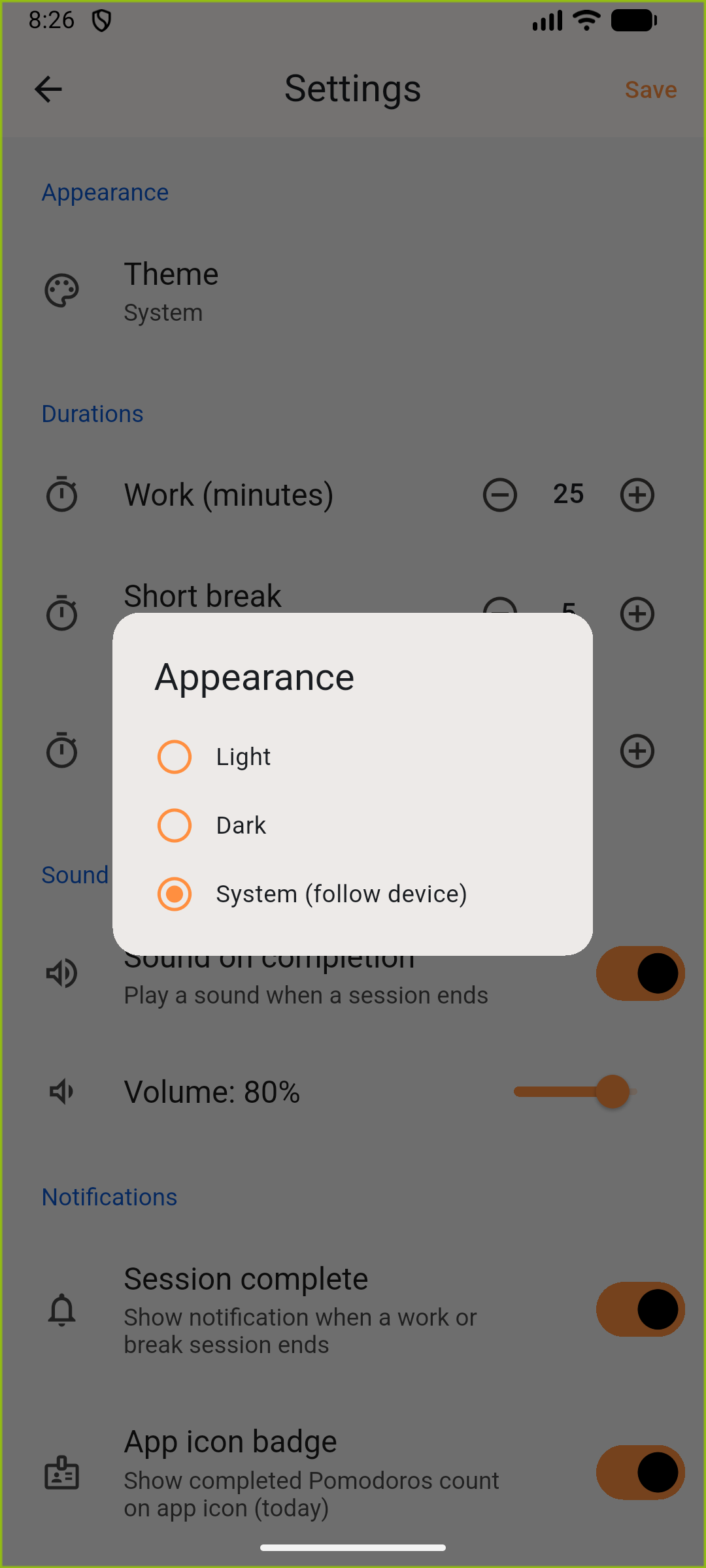
Settings & theme
Settings & theme
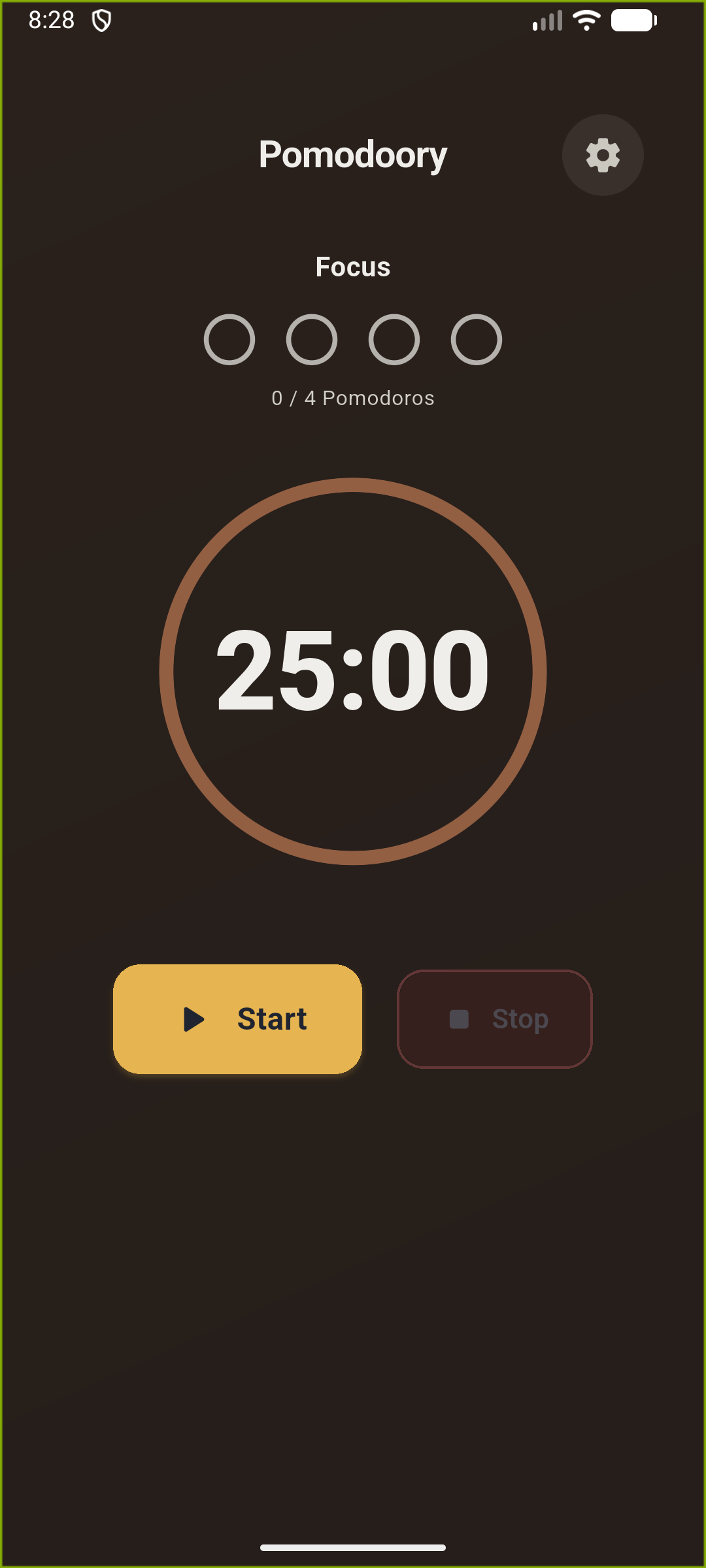
Home — dark mode
Home — dark mode
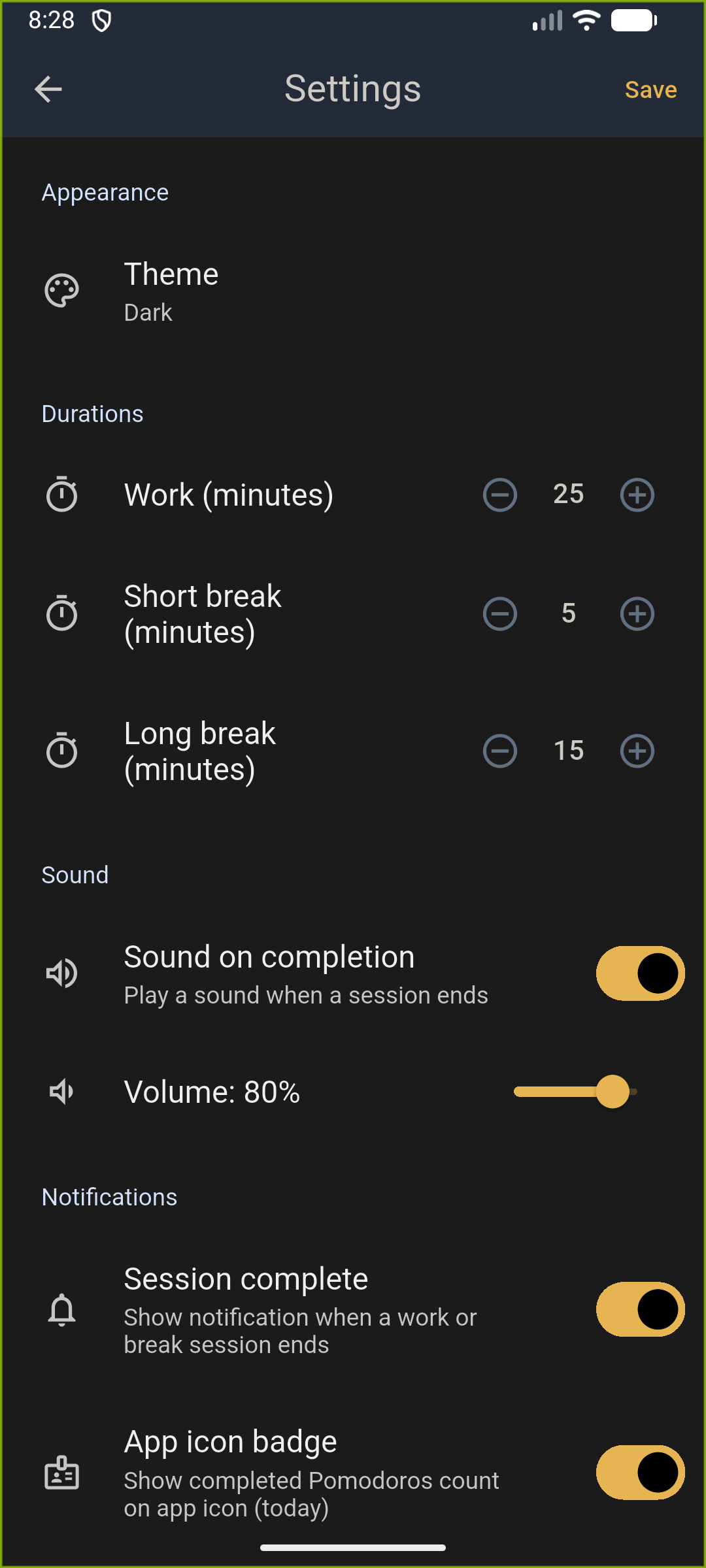
Settings — dark mode

Two screens. Pure focus.

The timer is your command centre. Settings live one tap away — configure once and forget they're there.

Timer
Full-screen animated progress ring with a live mm:ss countdown, session dots (1/4 … 4/4), and Start / Pause / Stop controls. The colour scheme shifts automatically between warm coral for focus and cool teal for breaks.
Settings
Adjust work, short break, and long break durations. Toggle sound, set volume, enable notifications, switch light/dark/system theme, and control the app-icon badge — all saved locally.

Get Pomodoory — it's free.

No account · No ads · No telemetry

Windows
Coming Soon
macOS
Coming Soon
Linux
Coming Soon
Android
Coming Soon
iOS
Coming Soon
About Pomodoory

Pomodoory is a focused Pomodoro timer built with Flutter and Riverpod. It follows the classic 25-minute work / 5-minute break cycle — repeating four times before a 15-minute long break — but every duration is fully configurable in Settings. The timer keeps ticking in the background: when you start a session, the end time is persisted and a scheduled local notification is set, so you're alerted even if the app is closed or the screen is off. On Android, an ongoing progress notification shows the live countdown in your notification shade so you never need to open the app to check the time. A circular progress ring pulses between a warm coral work theme and a cool teal break theme, making the current session obvious at a glance. Pomodoro dots track completed sessions (1/4 … 4/4) with animated checkmarks, and an optional app-icon badge lets you see your daily count without opening the app.

Free & Open Source — MIT License

The full source is on GitHub. Inspect it, fork it, self-host it, or contribute. No telemetry. No ads. No subscriptions. Ever.

Key Features 16
  • 25 min work → 5 min break cycle, auto-repeating
  • 15-minute long break after every 4 Pomodoros
  • Fully configurable work, short break, and long break durations (1–60 min)
  • Animated circular progress ring with mm:ss countdown
  • Coral focus theme / teal break theme — switches automatically
  • Pomodoro dots session counter (1/4 … 4/4) with animated checkmarks
  • Start / Pause / Resume / Stop controls
  • Background timer — persists end time so the clock never drifts
  • Scheduled local notification fires at session end, even when app is closed
  • Android ongoing progress notification with live countdown in the notification shade
  • App-icon badge shows completed Pomodoros for the day
  • Completion sound with adjustable volume
  • Light / Dark / System theme modes
  • Responsive layout scales from phones to tablets
  • All settings saved locally with SharedPreferences
  • No account, no cloud, no tracking
App Info
Version v1.0.0
License MIT
Open Source Yes
Price Free
Cloud / Sync Not required
Storage Local JSON files
Ads / Trackers None
Tech Stack
Flutter
UI framework
Dart
Programming language
Riverpod
State management
flutter_local_notifications
Background & progress notifications
just_audio
Completion sound
SharedPreferences
Local settings persistence
app_badge_plus
App-icon Pomodoro badge
Categories
Productivity Pomodoro Timer Focus Flutter Dart Open Source